






Pikaj home Pricing

From shoot to delivery: tools that speed up your work.

ID photos, batch photo editing, albums and collages in one desktop app, plus Pikaj plugins that work inside Premiere Pro and Photoshop for video and retouching. The Premiere Pro and Photoshop plugins are included in the Complete Bundle at no extra cost.

Download the app, open it and choose “Sign up” to create an account, then try it free for 15 days. No credit card needed.

  • 15 days free, no card required
  • Monthly or yearly
  • Your photos stay on your computer
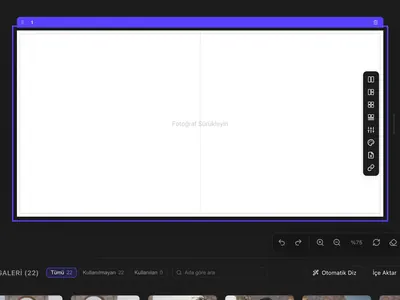
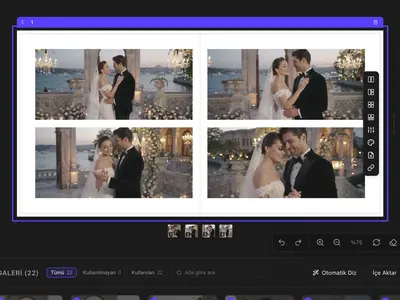
Pikaj's products at work: batch editing brightens a dark wedding frame, ID Photo turns a gray-background portrait into a 45×60 mm ID photo on white, Fx Studio adds a film burn to a video, and the album fills an empty spread with auto layout; Retouching is for portrait retouching in Photoshop. The frames show Pikaj's real screens and results. The batch-editing frame's "before" was darkened for the demo; the photo in the Retouching frame is a sample image.

Start with one tool, or get them all.

Choose one of the three products, or get all three with the Complete Bundle, which also adds the Premiere Pro and Photoshop plugins at no extra cost. Each product is a separate subscription. The 15-day free trial covers every product and doesn't ask for a card.

Yearly Monthly

Save 17% with yearly billing

All prices are in euros and include VAT.

Album + Collage

Album, Collage

€12.42/mo

€149, billed yearly.

€14.99/mo

Billed monthly; €179.88 over 12 months.

  • Album and collage design, unlimited projects
  • Manufacturer presets — Cihan, Flaş, Mert, Çizgi, Pusula, Truva
  • Automatic layout and five template categories
  • Resolution check: warns you instead of upscaling
  • Cover with its own size and DPI
  • PDF and ZIP export
  • Tools included at no extra cost: Sort photos by code, + 6 more tools; details below
Start subscription — Album + Collage, yearly Start subscription — Album + Collage, monthly

ID Photo + Studio

Automatic ID Photo, Studio Portrait Editing (coming soon)

€12.42/mo

€149, billed yearly.

€14.99/mo

Billed monthly; €179.88 over 12 months.

  • Automatic ID Photo: drag in a photo; Pikaj finds the face, crops to the document's size, changes the background and lays out the print sheet
  • Presets for Turkey, Schengen, the US and other documents
  • Tools included at no extra cost: Sort photos by code, + 6 more tools; details below

Studio Portrait Editing: coming soon, included at no extra cost — not available yet

Start subscription — ID Photo + Studio, yearly Start subscription — ID Photo + Studio, monthly

Batch Editing

Batch Photo Editing

€12.42/mo

€149, billed yearly.

€14.99/mo

Billed monthly; €179.88 over 12 months.

  • Batch Photo Editing: analyzes every frame of a shoot on its own — exposure, white balance, tilted framing, noise, blur
  • An Original, Light, Balanced or Strong correction level applied to every frame; your original files stay unchanged
  • Fine-tune frame by frame with camera profiles, LUTs and Lightroom presets (.cube, .xmp, .dng)
  • Tools included at no extra cost: Sort photos by code, + 6 more tools; details below
Start subscription — Batch Editing, yearly Start subscription — Batch Editing, monthly

Complete Bundle

Album, Collage, Automatic ID Photo, Studio Portrait Editing (coming soon), Batch Photo Editing

€24.92/mo

€299, billed yearly.

€29.99/mo

Billed monthly; €359.88 over 12 months.

Start subscription — Complete Bundle, yearly Start subscription — Complete Bundle, monthly

Premiere Pro and Photoshop plugins included, at no extra cost

  • Pikaj Fx StudioPremiere Pro plugin
  • Pikaj RetouchingPhotoshop plugin

Bought separately: €42.90 + €42.90 a year. With the Complete Bundle, both come with your subscription.

Bought separately: €4.29 + €4.29 a month. With the Complete Bundle, both come with your subscription.

Studio Portrait Editing: coming soon, included at no extra cost — not available yet

The Linux version (1.0.15) includes only the Album + Collage features; ID Photo and Batch Editing aren't available on Linux.

Adobe plugins

Two plugins for Premiere Pro and Photoshop.

Both run inside the Adobe app, connect to the Pikaj desktop app open on your computer and install from Pikaj's Plugins window. Buy either one as its own subscription, or get both at no extra cost with the Complete Bundle.

Premiere Pro plugin

Pikaj Fx Studio

Inside Premiere Pro: automatic Reels editing and captions, speed ramps, ready-made cover and poster titles; a library of effects, transitions, video overlays and sound effects.

€3.58/mo

€42.90, billed yearly.

€4.29/mo

Billed monthly; €51.48 over 12 months.

  • Included in the Complete Bundle at no extra cost
  • Also open during the 15-day free trial
  • Works while the Pikaj desktop app is open
  • Installs from Pikaj ▸ Plugins ▸ Install
  • On macOS: the panel, 48 effects and 44 transitions

Photoshop plugin

Pikaj Retouching

Inside Photoshop: skin, eye, makeup, dodge & burn, face shape, light and effect tools; every step comes on its own layer with its own mask.

€3.58/mo

€42.90, billed yearly.

€4.29/mo

Billed monthly; €51.48 over 12 months.

  • Included in the Complete Bundle at no extra cost
  • Also open during the 15-day free trial
  • Works while the Pikaj desktop app is open
  • Installs from Pikaj ▸ Plugins through Creative Cloud
  • Photoshop 2024 or later

Adobe Photoshop and Adobe Premiere Pro aren't included in the subscription; you get them from Adobe. Adobe, Photoshop and Premiere Pro are trademarks of Adobe.

Tools

Seven more tools, at no extra cost.

The seven tools in the app's Tools section aren't charged separately. To open the app you need a product or the 15-day free trial; you don't pay anything extra for the tools. They're available in the macOS and Windows versions.

  • Sort photos by code

    Copies the photos your client picked, by their codes, into a new folder. Paste the list of codes or scan a photo of the list.

  • Instagram crop

    Fit photos one by one into an Instagram crop; you can rotate them or make them black and white.

  • HEIC → JPG

    Converts iPhone photos to JPG.

  • Reduce resolution

    Downsizes photos in batches; you set the long edge, a percentage or the megapixels. It never upscales.

  • Convert format

    Converts in batches between JPEG, PNG, WebP, TIFF and AVIF; it opens RAW files too.

  • Batch rename

    Renames files with patterns such as a sequence number and the capture date. RAW+JPG pairs get the same name; by default your original files stay unchanged.

  • Reduce file size

    Shrinks files with a preset for the web, email or Drive, or to a target file size you give.

Sort photos by code: reading from a photo can misread handwriting and blurry text; check the codes it finds. HEIC → JPG: on Windows you may need the “HEIF Image Extensions” and “HEVC Video Extensions” add-ons from the Microsoft Store.

What you get is the right to use the app.

A subscription isn't a physical product: it's a digital service. There's nothing to ship, so there's no delivery address and no shipping fee.

During your subscription

You download the Pikaj desktop app, install it on your computer and use it for as long as your subscription runs. The product cards above list which features each product includes. Updates released during your subscription are included.

The app runs on your computer; your project files (.pikaj) and your photos stay on your own disk. Aura Media doesn't host these files on its systems.

When your subscription ends

The project files on your disk aren't deleted; they're yours. When a subscription ends, only access to the features that need a subscription ends.

Before you subscribe, check that your computer meets the system requirements listed on the download page.

Two billing periods: monthly and yearly.

Your subscription renews automatically at the end of the period you chose unless you cancel it; if you cancel, it stays active until the end of the period you've paid for.

Monthly subscription
Gives you one month of use and renews every month. If you cancel before the renewal date, you won't be charged for the next period.
Yearly subscription
Paid once for a year of use and renews every year. Stopping renewal works the same way: cancel before the period ends.

Questions

Do I need a card for the free trial?
No. The 15-day free trial includes every product, doesn't ask for card details and doesn't turn into a paid subscription on its own. Create an account, download the app and start the trial from the app.
Where are my photos and projects stored?
On your own computer. Projects are saved as .pikaj files on your disk; Pikaj doesn't upload your photos to a server.
Do I need an internet connection?
Yes, to open the app: it checks your license with the server each time it starts. If the connection drops after that check, the open app keeps working.

Before you buy, in short

This page explains what each product includes, which tools come with every product, and how the free trial works. In short:

Products
Pikaj comes in four products, each a monthly or yearly subscription; the Adobe Premiere Pro and Photoshop plugins are also sold on their own and are included in the Complete Bundle at no extra cost. Each product is a separate subscription.
Free trial
15 days, shared by all products; no card required.
Renewal
The subscription renews automatically at the end of each period; to stop renewal, cancel before the period ends. If you cancel, it stays active until the end of the period you've paid for.
Prices
All prices are in euros and include VAT.
Payment
Subscriptions bought from outside Turkey are sold by our online reseller Paddle.com, the merchant of record for these orders. Payment, VAT and invoices are handled by Paddle.
Refunds
For these orders, refunds, cancellation and the statutory right of withdrawal are handled by Paddle; see the Delivery and Refund Terms.
Terms
Distance Sales Contract, Delivery and Refund Terms, Privacy Policy.

Try Pikaj free for 15 days.

Create an account, download the app and start the free trial. No card required.

PROJECT FILE .pikaj YOUR OWN DISK NOT IN THE CLOUD NOT UPLOADED TO A SERVER NO CLOUD LOCK-IN
Projects and photos stay on the user's own disk.
When a subscription ends

Your files stay with you.

A subscription lets you open the app; it doesn't decide who owns your files. Your projects stay on your own disk as .pikaj files and aren't uploaded to a server. Even if your subscription ends, those files are yours.

Opening the app requires an internet connection and a valid subscription or free trial.